On-device AI · Android

Snap the slide.
Edit the PPT.

Snappt finds the slide in your photo, straightens it, reads the text and turns it into real PowerPoint text boxes — all on your phone. No account, no server.
No internet permissionNo accountZero data collected
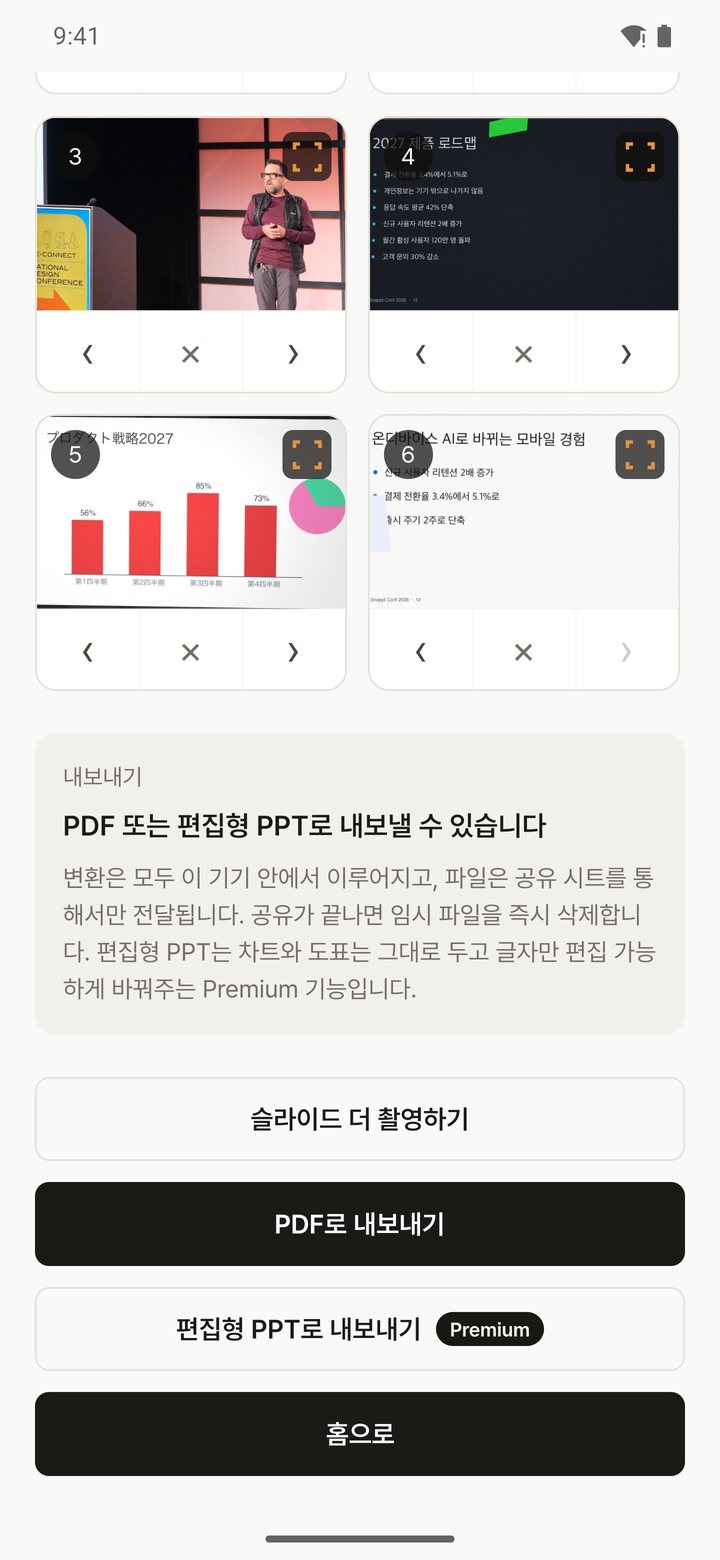
Export screen
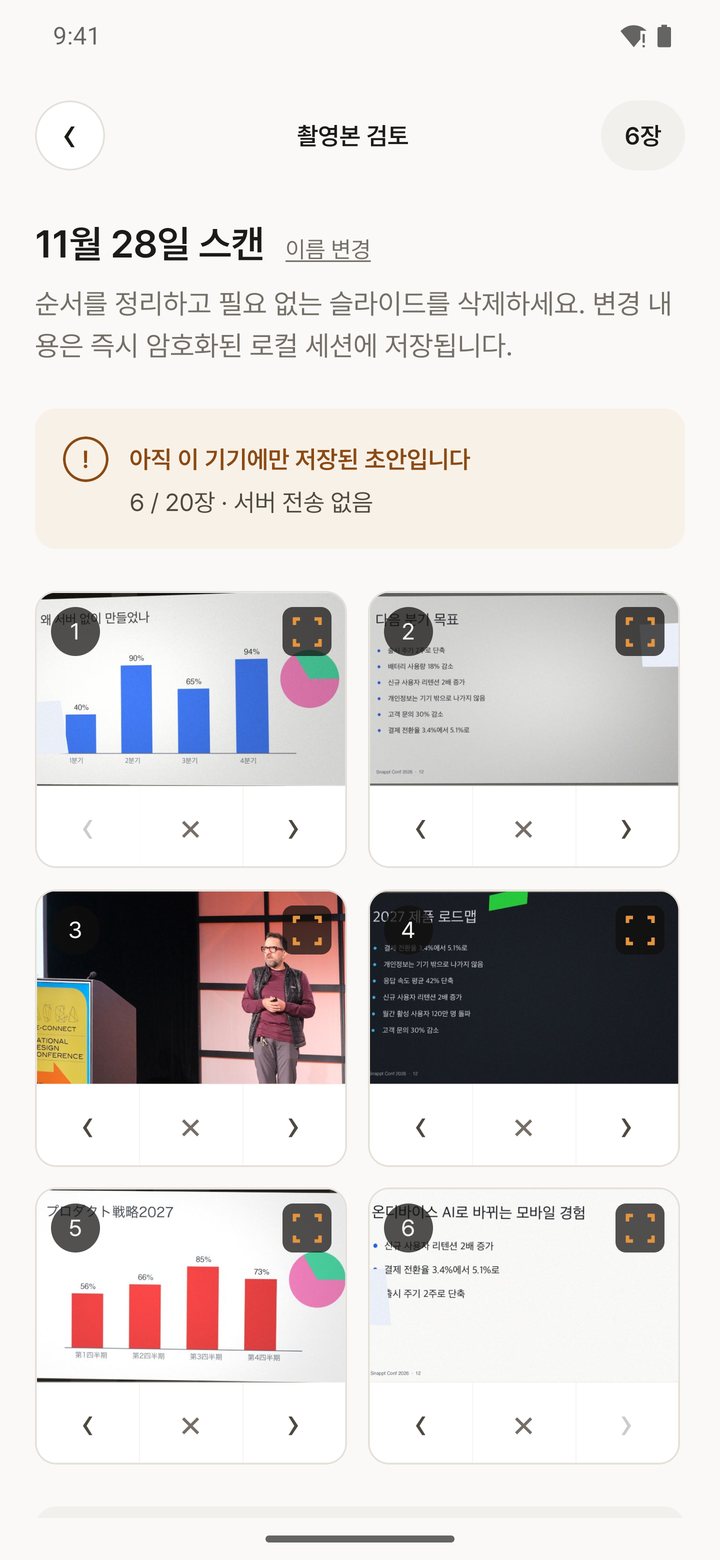
Review screen
✓
StraightenedEdges found, flattened
T
Editable textReal .pptx text boxes
0
Bytes uploadedWorks offline
How it works

Snap, straighten,
read, edit.

One real talk photo, four steps. Every step runs on the phone.

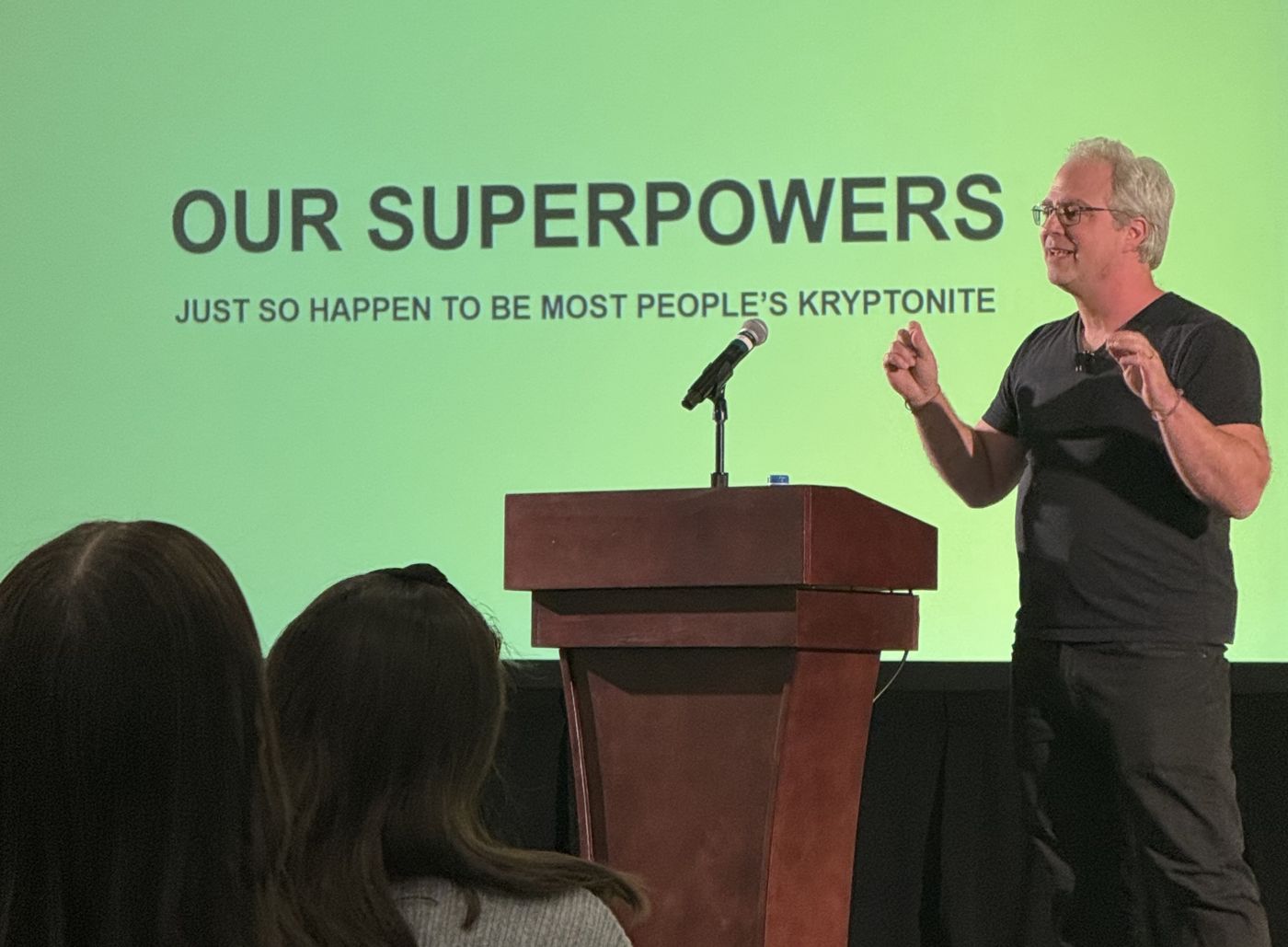
A slide on stage
Auto capture

01Snap

Point at the screen. When a new slide settles, Snappt locks on and shoots. Transitions and repeats are skipped.

02Straighten

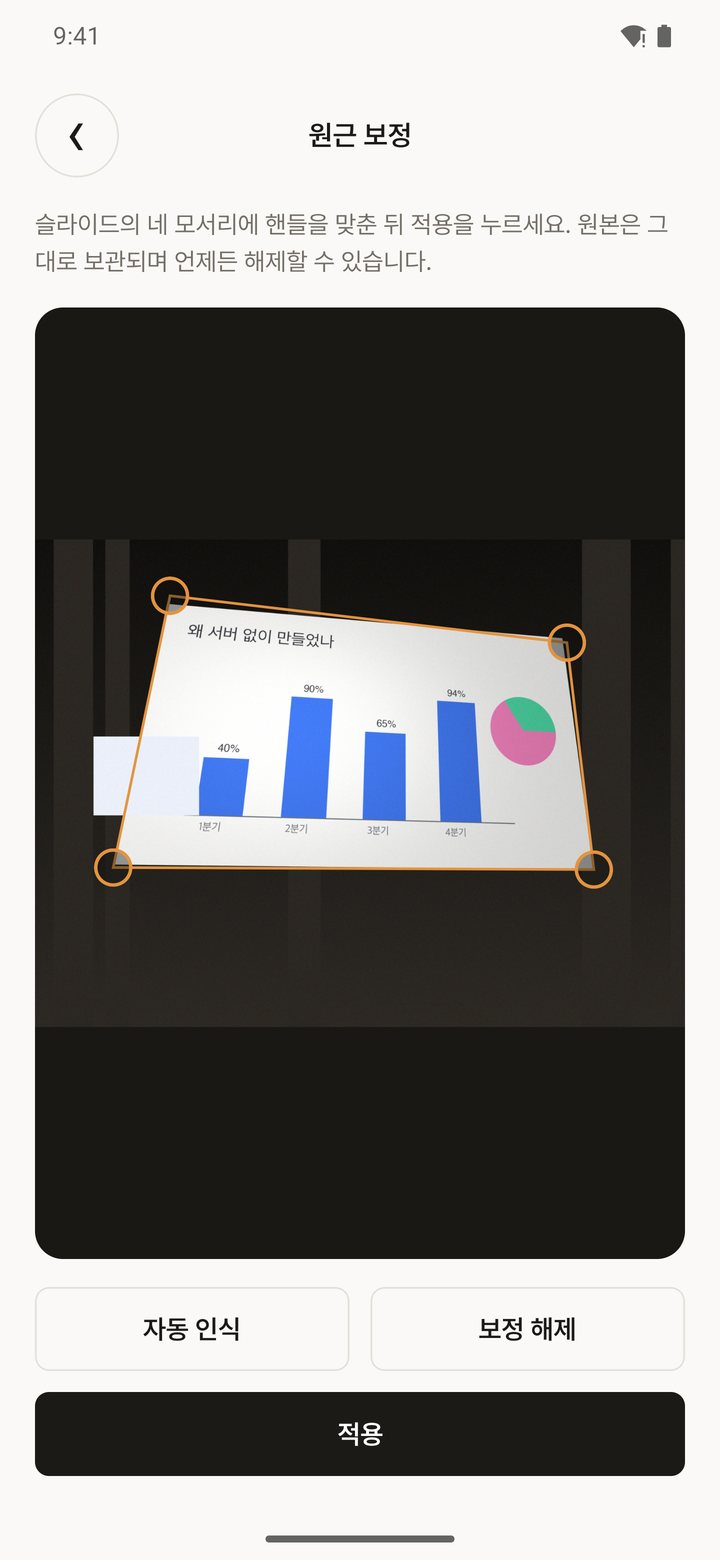
The slide is cut out of the room and flattened. Missed a corner? Drag the handles.

OUR SUPERPOWERS
JUST SO HAPPEN TO BE MOST PEOPLE'S KRYPTONITE2 lines read

03Read

Korean, English, Japanese and Chinese text is read on the device, line by line, with its original color.

talk.pptx — PowerPoint
HomeInsertDesignTransitions
OUR SUPERPOWERS
JUST SO HAPPEN TO BE MOST PEOPLE'S KRYPTONITE

04Edit

Open the .pptx on your laptop. Text is real text boxes you can fix and copy; charts and photos stay as they were.

Premium

Auto capture

Shoots when the slide changes and holds still.

Premium

Duplicate cleanup

Keeps only the sharpest shot of each slide.

Free

4 languages

Korean, English, Japanese, Chinese.

Premium

AI notes, on device

On supported Galaxy and Pixel phones, Gemini Nano writes key points, a summary and review questions.

Free

Sessions and free PDF

Each talk becomes a session; export the straightened slides as one PDF for free.

The app

This is the real app.

Captured from the Android build. Hover to pause.
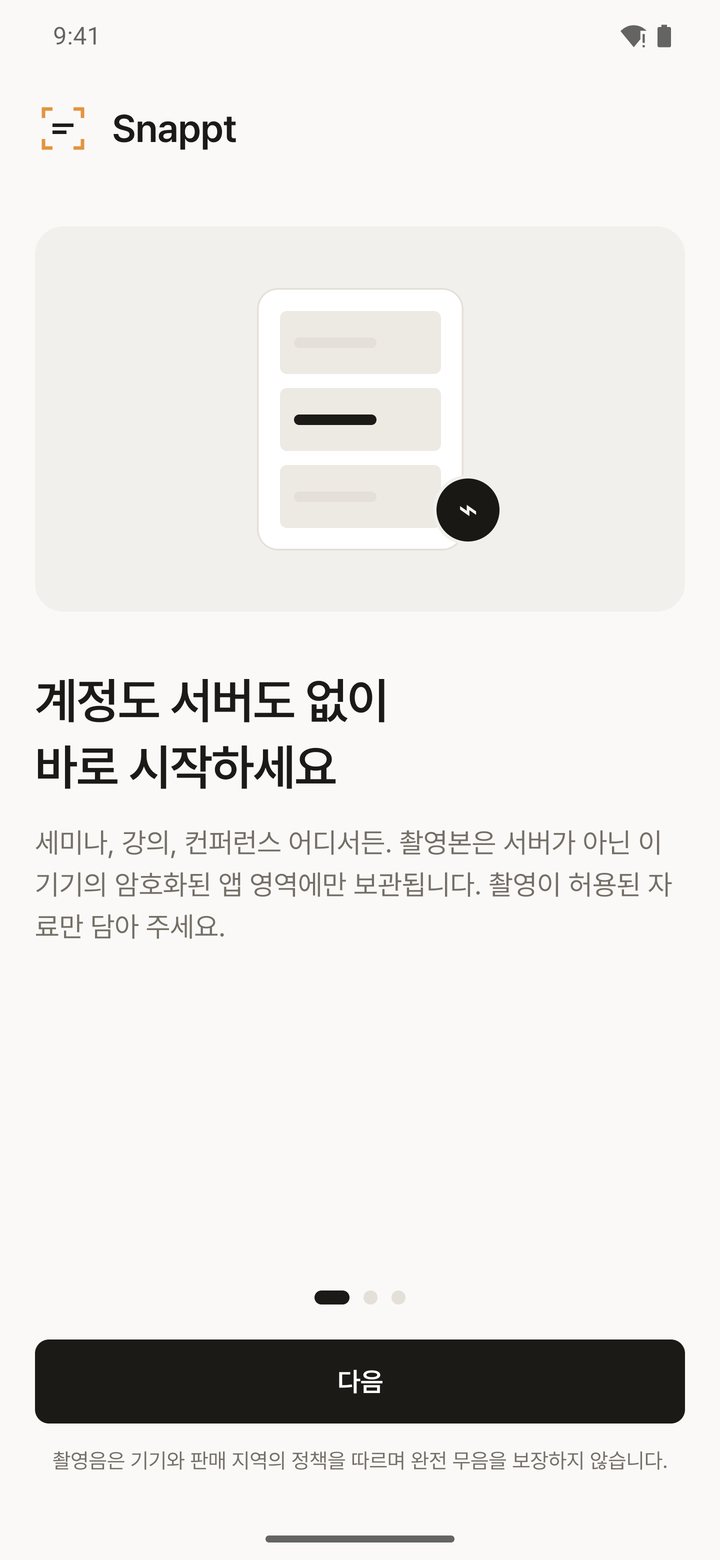
Onboarding
StartNo sign-up
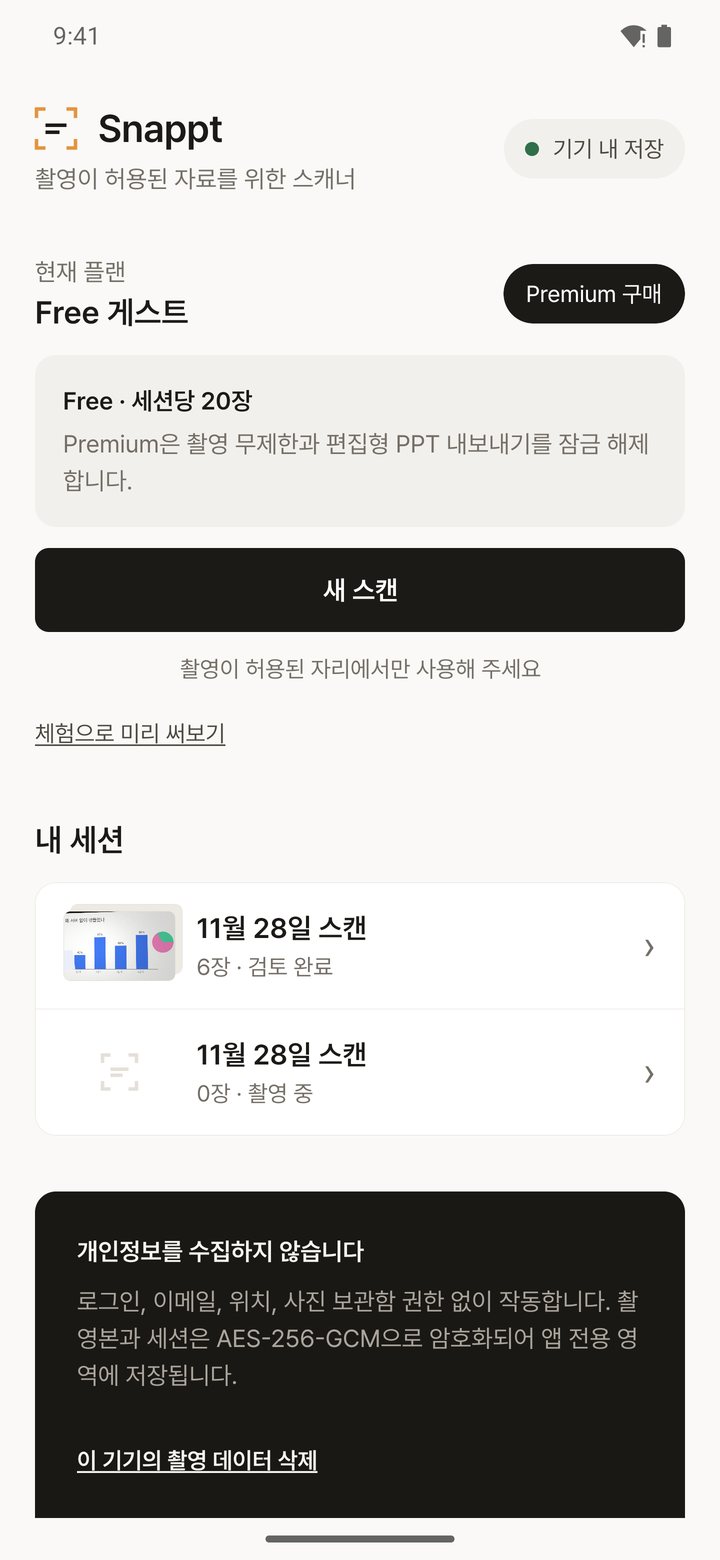
Home with sessions
HomeSessions per talk
Review screen
ReviewReorder, delete
Corner adjustment
CornersFix by hand
Export screen
ExportPDF or editable PPT
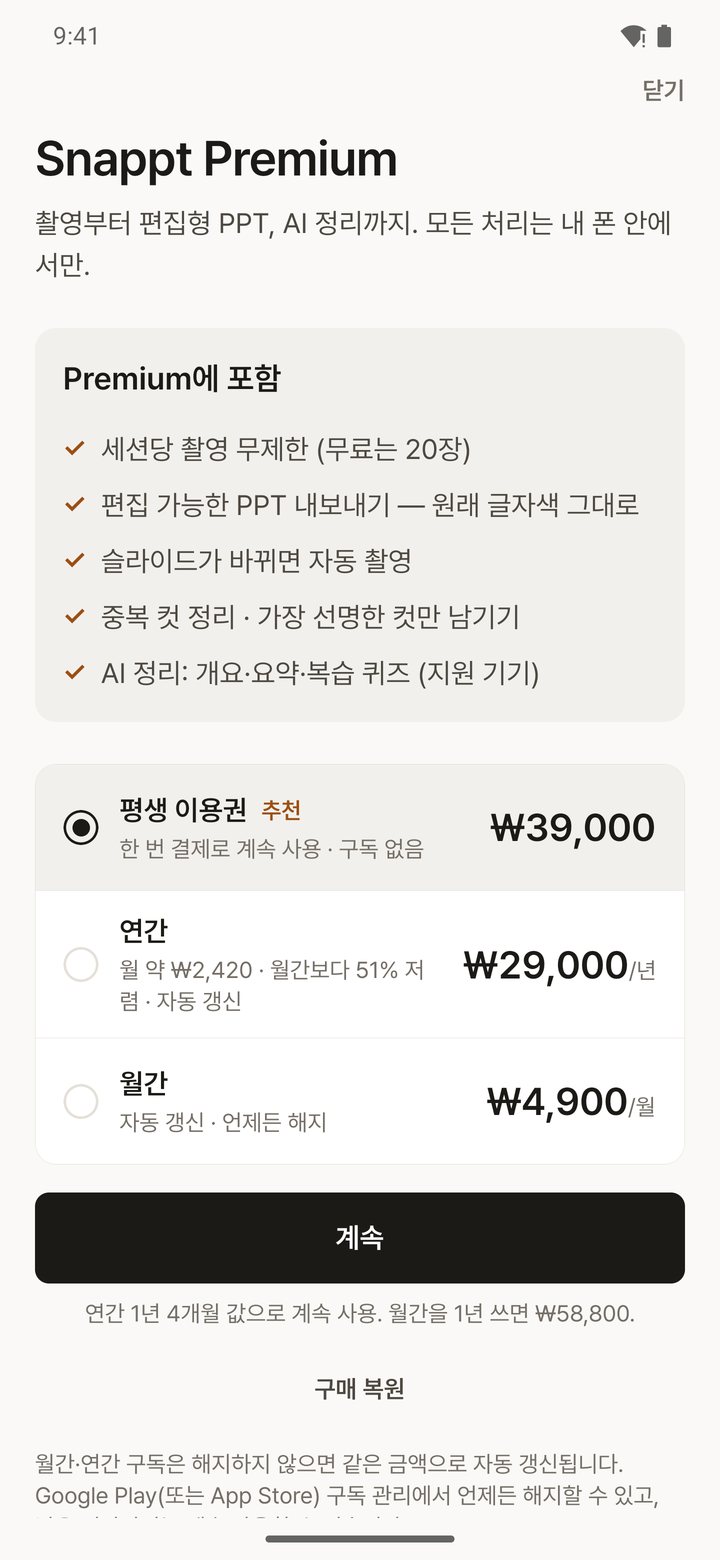
Premium plans
PremiumThree plans, same features
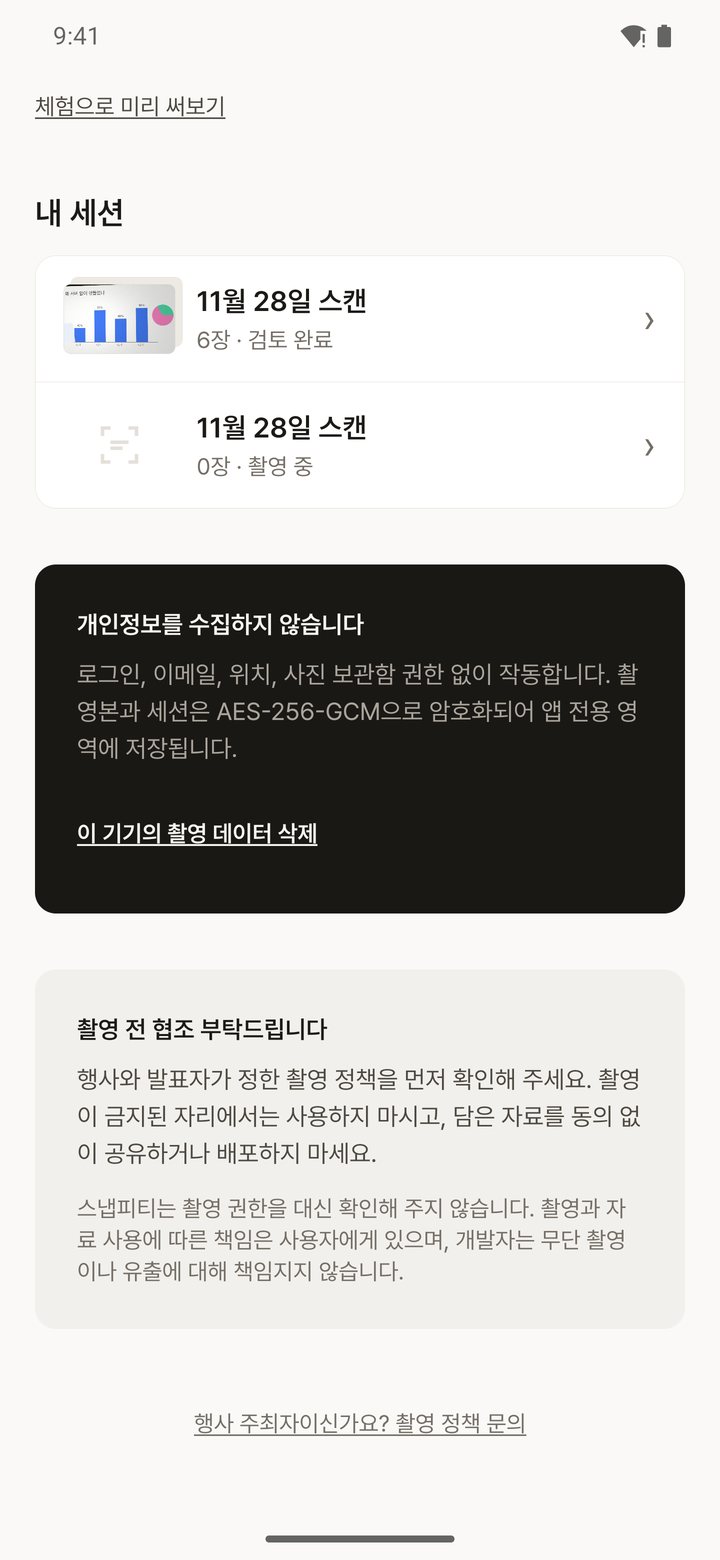
Privacy and etiquette
PrivacyDelete everything, anytime
Honest numbers

How well it works,
measured by us.

In-house bench · 2026-11-28 · 92 photos. Including where we fall short.

Slide edges found exactly (IoU ≥ 0.9)46%+27 pts vs first run
Text read correctly, test slides78%+2 pts vs first run
Japanese text read correctly67%+36 pts vs first run
Lines editable, real talk photos37%+18 pts vs first run

12 real talk photos plus 80 test photos mixing themes, angles, blur, heads in front and LED walls, processed on a phone (emulator) with the same code as the released app and scored against the answers.

On-device vs cloud AI

We gave the same photos to a large cloud vision model and scored both the same way.

Real talk photos (12)
Snappt
73%
Cloud AI
100%
Test slides (24)
Snappt
77%
Cloud AI
98%

Cloud AI reads better today. It also needs your photos on someone else's server. Snappt keeps them on your phone and closes the gap with every model update.

Cloud scores are from reading the whole photo; Snappt's include finding and cropping the slide. Small sample.

Where we still fall short

  • Dark and navy slide themes: edges found exactly only 17% of the time. Corners can be fixed by hand.
  • Shaky shots: text accuracy drops to 22%. The app warns right after the shot so you can retake it.
  • Real photos with busy stages: 37% of lines become editable; the rest stay as part of the slide image.
  • Cyrillic and other scripts outside Korean, English, Japanese and Chinese are not supported yet.

What we keep doing

  • On-device AI is improving fast. When better models ship, Snappt moves to them — still with no server.
  • Monthly, yearly and lifetime members all get every update. Lifetime is not a frozen version.
  • Features requested by users are built continuously. Send yours.
  • In-house results; real rooms, distances and phones vary. We re-measure with every update.
Privacy by structure

Not a promise.
The app can't send it.

AndroidManifest.xml · release
CAMERACapture slides
vending.BILLINGGoogle Play billing
aicore.BIND_SERVICEOn-device Gemini Nano
INTERNETNot declared

No account, no server

No sign-up and no backend. Install and shoot.

No tracking

No analytics, no ads SDK. We can't know what you capture.

Encrypted on the phone

Photos and text stay in AES-256-GCM encrypted app storage until you share them. Privacy policy

Pricing

Start free.
Pick a plan that fits.

Same features on every plan.
Not for you? Full refund within 30 days, no questions asked.

Monthly

₩4,900 / mo
Renews monthly · cancel anytime
  • Unlimited capture
  • Every slide as editable PowerPoint
  • Auto capture, duplicate cleanup
  • AI notes (supported phones)
Start monthly
Recommended · 7 days free

Yearly

₩29,000 / yr
About ₩2,420 a month · 51% less than monthly
  • First 7 days free · cancel before and pay nothing
  • Everything in monthly
  • Half the monthly price
  • Renews yearly · cancel anytime
Start 7-day free trial

Lifetime

₩58,800
Pay once · no renewal
  • Every Premium feature, for good
  • All future updates included
  • The price of a year of monthly
Get lifetime
Free · ₩0  20 shots per session, PDF export, editable PPT on 3 slides, backup. No time limit.
Start free
Try it freely. Refund within 30 days.In the first 48 hours, request it in Google Play yourself; after that, one email is enough. Keep Snappt only if you like it.
Refund by email

Prices in Korean won; may vary by country and store.

FAQ

Questions

Does it really have no internet permission?

Yes. The release Android app doesn't declare INTERNET, so it can't reach the network. Capture, straightening, recognition, export and AI notes all run on the device.

Wouldn't a cloud AI read better?

Today, yes — our own test shows it. Snappt trades some accuracy for never uploading your photos, and lets you fix any line by hand. We re-measure with every update.

What's free?

20 shots per session, PDF export, backup, and an editable PowerPoint for the first 3 slides of each export. Unlimited capture, every slide editable, AI notes, auto capture and duplicate cleanup are Premium.

Monthly, yearly or lifetime?

Same features. Monthly ₩4,900, yearly ₩29,000 (about ₩2,420 a month), lifetime ₩58,800 once. Everyone gets the same updates.

Can I get a refund?

Yes. Within 30 days of purchase we refund in full, no questions asked. In the first 48 hours you can request it in Google Play; after that, email us. The yearly plan also starts with 7 free days, and cancelling before they end costs nothing.

There is no server. How do I keep my captures safe?

In the app, Backup and restore makes one ZIP file of every session. Keep it in Google Drive or on a computer, and restore it on a new phone to get everything back. The backup file is not encrypted, so keep it somewhere you trust.

Which phones run AI notes?

Recent Galaxy and Pixel flagships with on-device Gemini Nano. Everything else works on other phones.

What about events that ban photos?

Please follow the event and speaker policy, and don't share captured material without consent. Organizers can contact us.

When is the iPhone version coming?

Google Play comes first. Before the iPhone launch we'll open an App Store pre-order; Apple notifies you and downloads it on launch day. We don't collect email.

Your next talk,
as an editable deck.

Free to start. Nothing leaves your phone.